
For School Admin/Leader

Guide your school towards educational excellence.

1. Navigate to the main dashboard (make sure you’re logged in as the institute admin!)

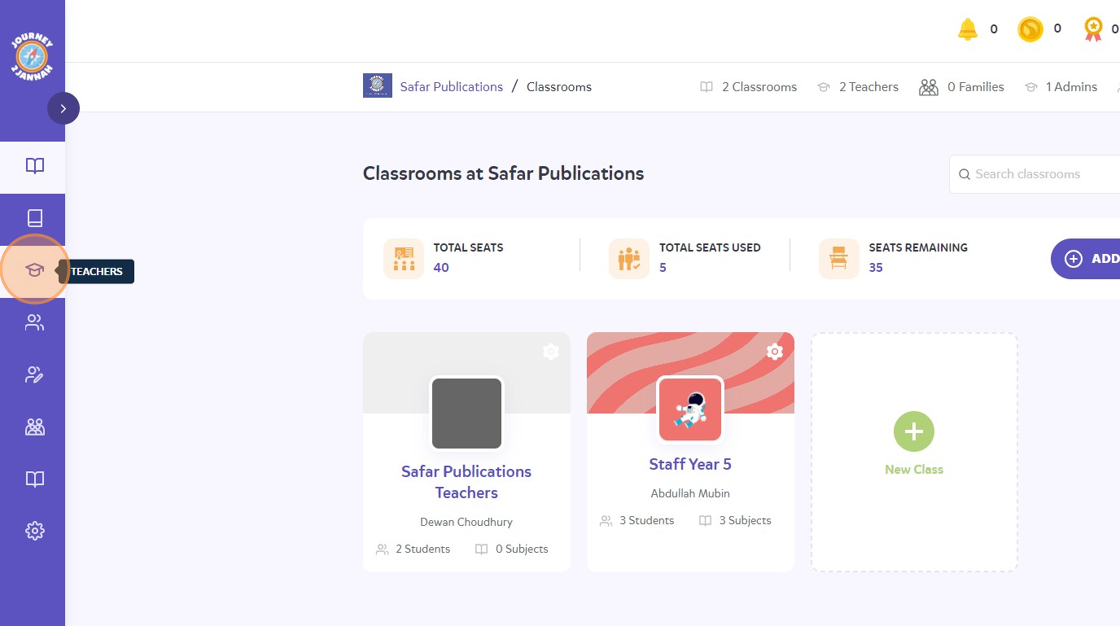
2. Click on the teacher icon on the left hand panel.
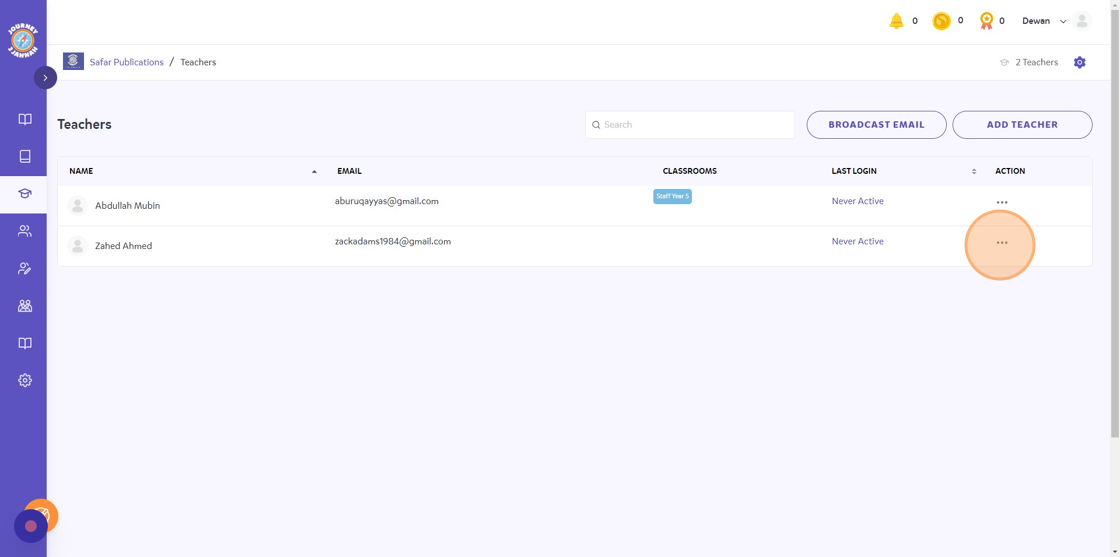
3. Click the 3 dots icon on the teacher you’d like to delete.
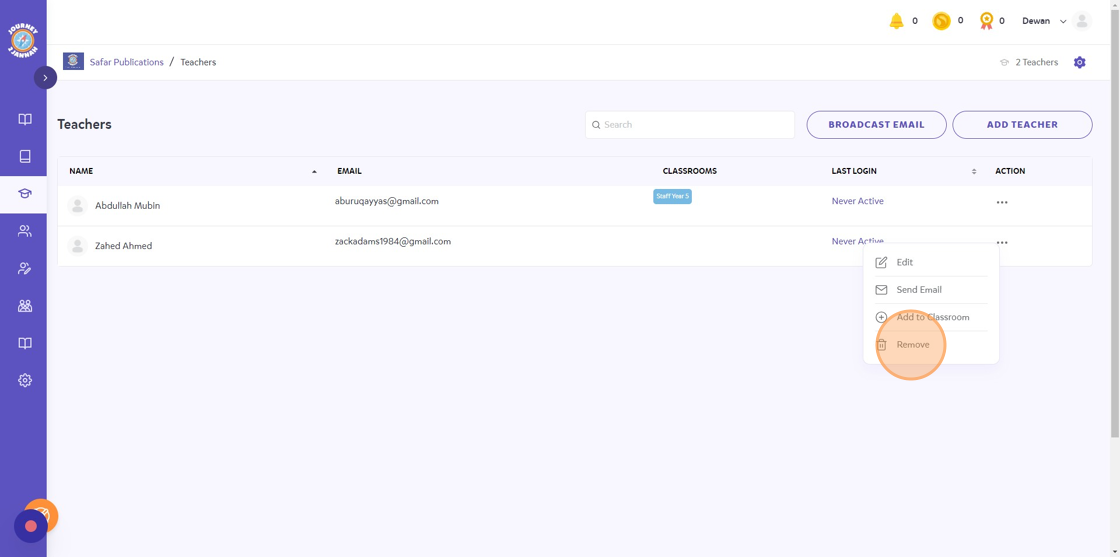
4. Click “Remove”
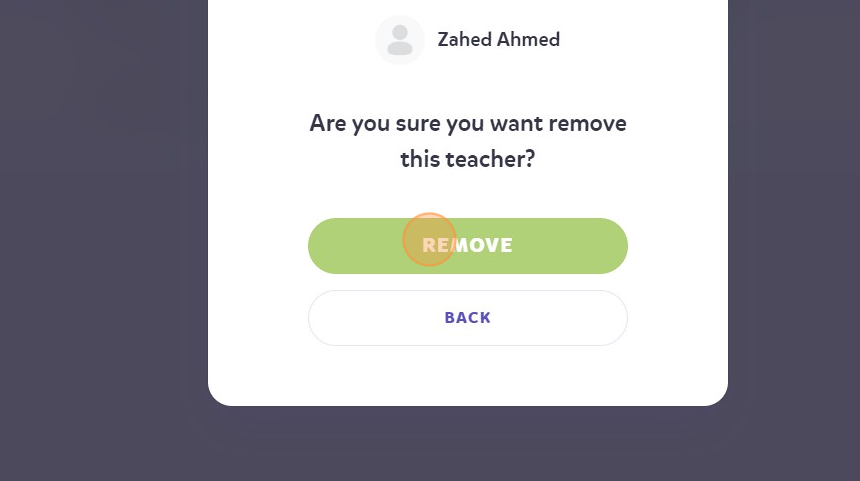
5. Click “REMOVE”
6. They will be removed from your institute now and the seat count should be updated!

What are your feelings
Updated on October 8, 2025

Can't Find What You Need?

If you couldn't find the resources you were looking for or need additional assistance, don't worry! Our team is here to help. Email us at [email protected], and we'll get back to you as soon as possible with the support you need.

Contact Us
pricing-block-bg