

1. Navigate to the main dashboard (make sure you’re logged in as the institute admin!)
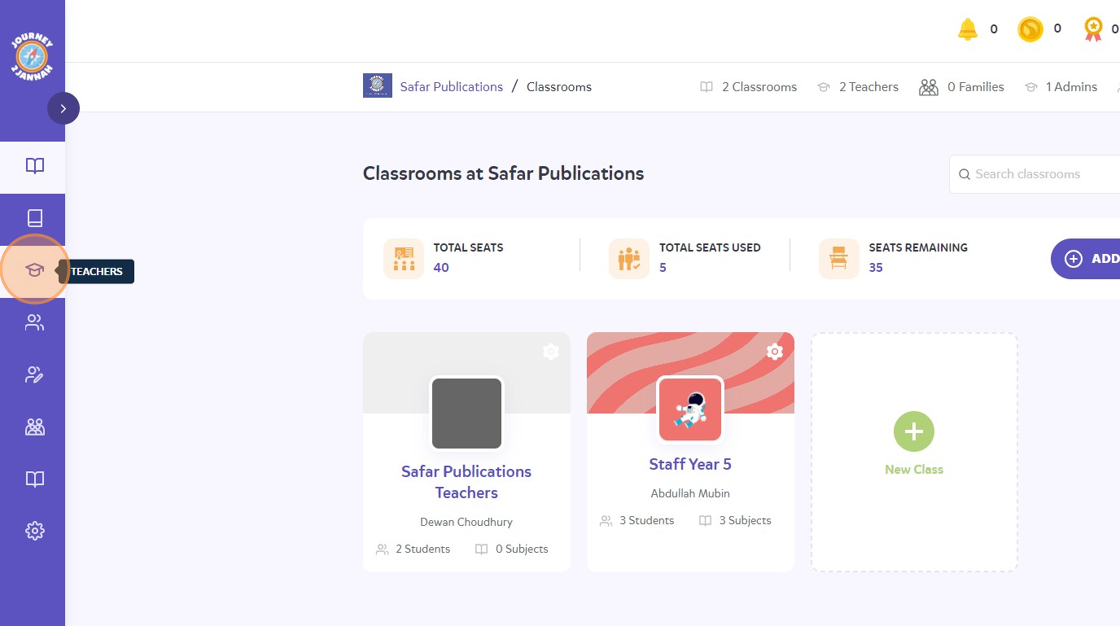
2. Click on the teacher icon on the left hand panel.
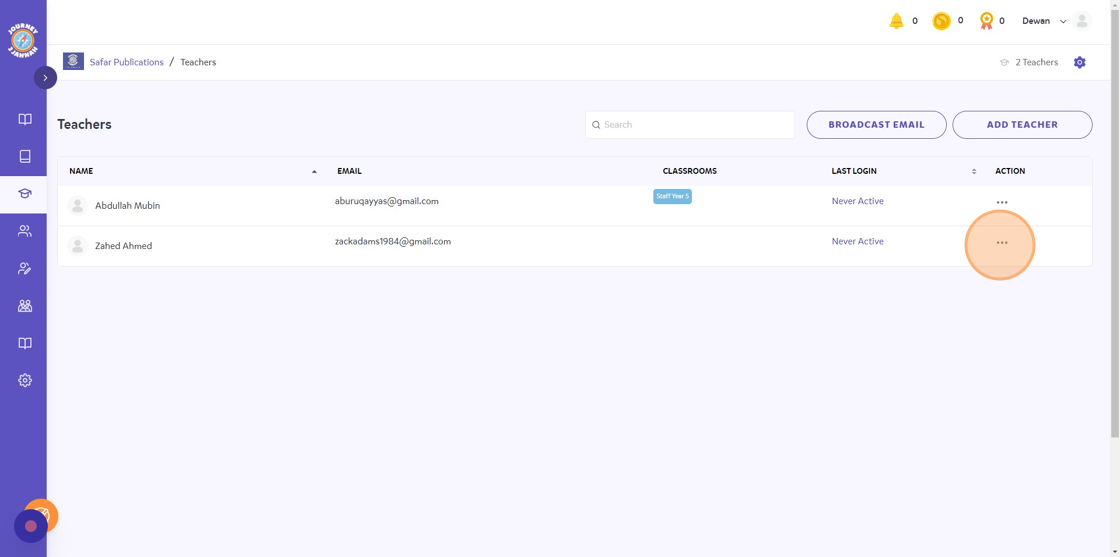
3. Click the 3 dots icon on the teacher you’d like to delete.
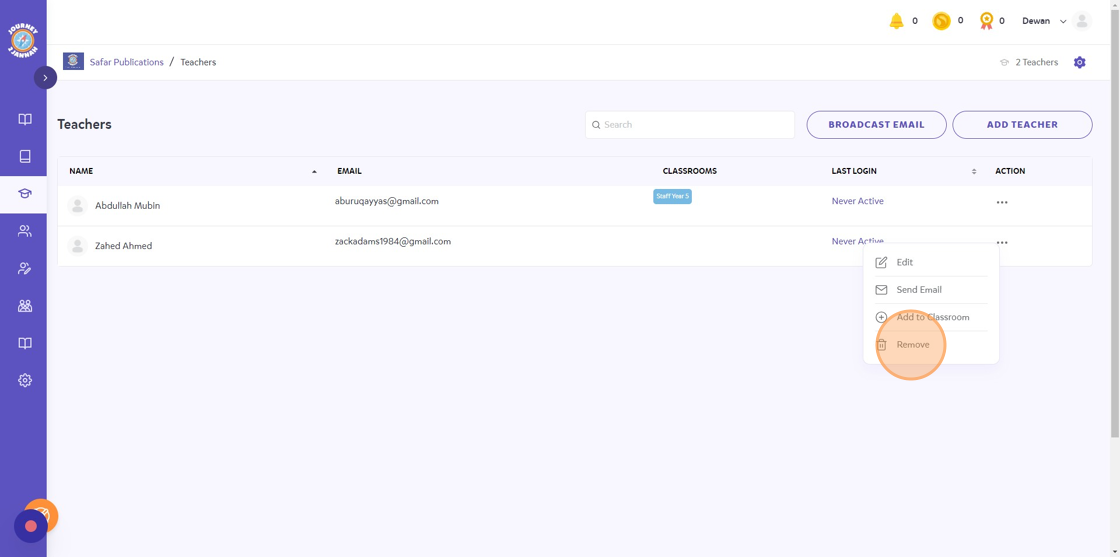
4. Click “Remove”
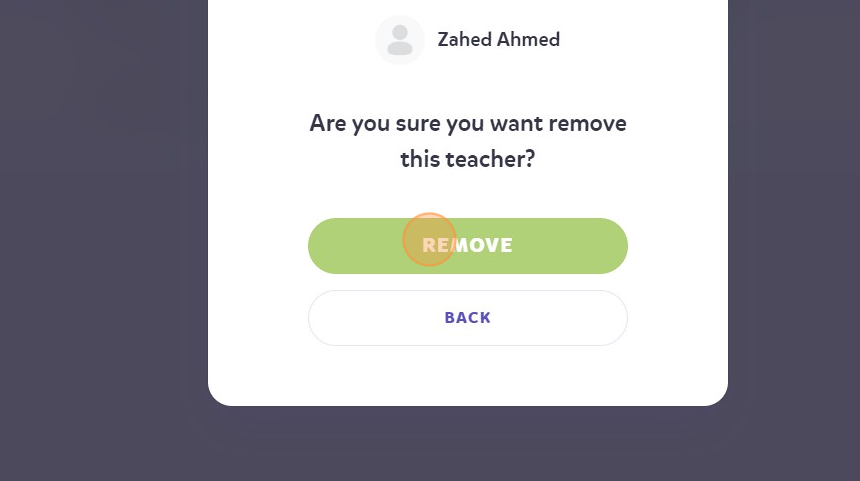
5. Click “REMOVE”
6. They will be removed from your institute now and the seat count should be updated!
